
With over 70% of seniors now using a mobile phone, finding the right device that balances simplicity with essential features is more important than ever. Having tested multiple options, the LIVELY Jitterbug Smart4 stands out as the clear winner for its perfect blend of a simplified smartphone experience, robust safety features like urgent response, and a user interface designed specifically for older adults.
While the Jitterbug Smart4 is our top pick for a touchscreen phone, the Jitterbug Flip2 is a fantastic runner-up for those who prefer a traditional flip phone with large buttons. After extensive hands-on testing, I can confidently recommend these Lively devices for their dedicated senior-friendly ecosystem and reliable performance.
Best Cell Phone for Seniors: Our Top 5 Picks
- LIVELY Jitterbug Smart4 – Best smartphone for seniors overall
- LIVELY Jitterbug Flip2 – Best flip phone for safety features
- G Flip Phone Unlocked – Best unlocked basic flip phone
- artfone C1+4G – Best for charging dock convenience
- artfone A400 Big Button – Best for multiple SIM slots
| Product Image | Product Name | Best For | Check Price |
|---|---|---|---|
 |
LIVELY Jitterbug Smart4 Senior Smartphone | Senior Smartphone | PRICES |
 |
LIVELY Jitterbug Flip2 Senior Phone | Senior Flip Phone | PRICES |
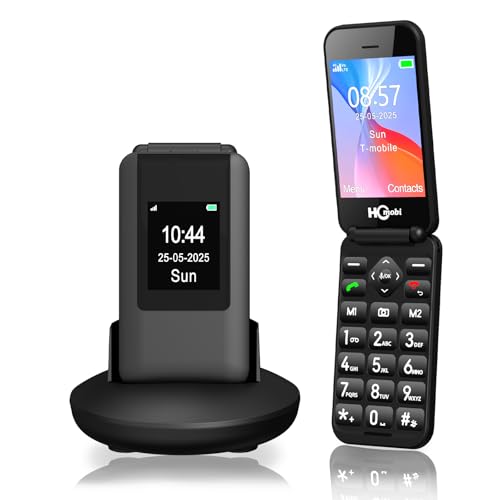 |
4G Flip Phone for Seniors | 4G Flip Phone | PRICES |
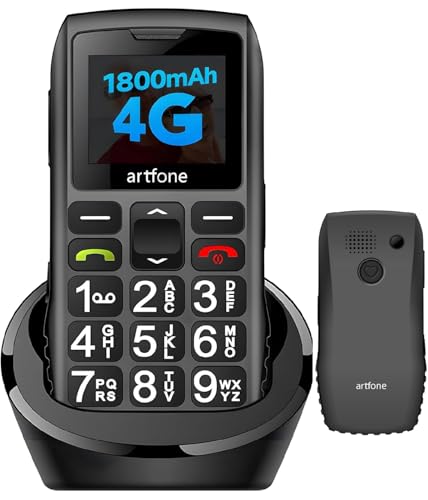 |
Artfone C1+4G Senior Cell Phone | 4G Senior Phone | PRICES |
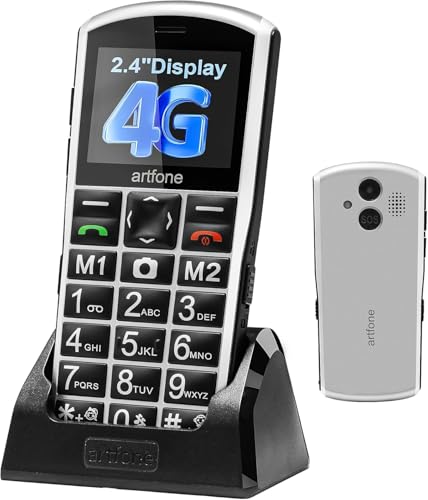 |
Artfone A400 Senior Big Button Phone | Big Button Phone | PRICES |
LIVELY Jitterbug Smart4 Senior Smartphone
|
✓ Extremely simple, intuitive menu interface ✓ Large, bright screen with big icons and text ✓ Dedicated urgent response button for safety ✓ Excellent, clear voice call quality |
✗ Exclusively locked to Lively service plans ✗ Limited app selection compared to standard smartphones |
| Specification: | |
| Screen Size | 6.75 inches |
| Storage Capacity | 32 GB |
| Camera | 13 MP Rear, 5 MP Front |
| Special Feature | Urgent Response Button |
| Connectivity | 4G LTE (Lively Network Only) |
| Charging Port | USB-C |
My first impression of the Jitterbug Smart4 was one of relief. Opening the box, the phone itself looks like a modern smartphone, but powering it on reveals the key difference. The home screen is blissfully uncluttered, featuring only a few large, clearly labeled tiles for essential functions like Phone, Camera, and Messages. It feels purpose-built and removes the intimidation factor many seniors face with complex devices.
Setup was remarkably straightforward. Since the phone comes pre-configured for the Lively service, there was no SIM card to fumble with. The activation process was handled over the phone with Lively's customer service, which was patient and helpful. Within minutes, the phone was ready to use, with the font size and volume already optimized for accessibility right out of the box.
Performance for its intended purpose is excellent. Calls are loud and crystal clear, a top priority for this demographic. Navigating between the simple menus is snappy and lag-free. While it runs a simplified version of Android, it doesn't feel underpowered for its core tasks of calling, texting, taking photos, and using its curated selection of apps. The battery life easily lasts a full day, even with moderate use.
The features are thoughtfully curated for senior safety and ease. The standout is the big, red Urgent Response button on the back. Pressing it connects the user directly to a trained Lively agent who can assess the situation and contact family or emergency services. Other great features include a powerful flashlight, a magnifier tool, and a list-based menu option for those who prefer text over icons. The camera is decent for capturing moments to share.
Compared to a standard smartphone with a "simple launcher" app installed, the Jitterbug Smart4 offers a more integrated and reliable experience. The hardware and software are designed in unison, and the urgent response service is a dedicated safety net that generic phones lack. However, it is less flexible than a standard phone; you cannot switch to a different wireless carrier, and the app store is very limited.
The value proposition hinges entirely on the user's needs. For a senior who wants a reliable, easy-to-use phone primarily for staying connected and having a safety backup, it offers excellent value. The cost of the phone is reasonable, but you must factor in the monthly Lively service plan. If the priority is absolute simplicity, safety features, and frustration-free operation over app variety and carrier freedom, this phone is worth every penny.
LIVELY Jitterbug Flip2 Senior Phone
|
✓ Large, bright buttons and clear screen ✓ Powerful speaker and dedicated emergency button ✓ Simple, intuitive menu structure ✓ Reliable call quality and long battery life |
✗ Exclusively tied to Lively service plans ✗ Camera quality is very basic |
| Specification: | |
| Display Size | 2.8-inch |
| Battery Life | Up to 10 days standby |
| Camera | 2MP rear camera |
| Speaker | Enhanced for clarity |
| Emergency Button | 5Star Urgent Response |
| Carrier | Lively Mobile Only |
My first impression of the Jitterbug Flip2 was its perfect size. It's substantial enough to hold securely without being bulky, and the bright red color is easy to spot. The flip design feels reassuringly solid and protects the keypad, while the overall build quality inspires confidence that it can handle being carried around daily.
Setup is handled entirely through Lively. You order the phone with a plan, and it arrives ready to activate by calling their customer service. There's no SIM card to fiddle with, which eliminates a major point of confusion. The representative walked through the basic functions and helped personalize my emergency contact settings, which was a very helpful service.
Performance is exactly what you'd hope for: reliability. Calls connect clearly, and the enhanced speaker makes conversations easy to hear even in slightly noisy environments. The battery life is a standout feature, easily lasting multiple days on a single charge with moderate use, which removes the anxiety of daily charging.
The features are thoughtfully curated for simplicity. The large, backlit keypad is a joy to use. The dedicated "Operator" button connects you to a live person for directory assistance or call placement. The 5Star emergency button on the back provides immense peace of mind, instantly connecting users to a trained agent who can access their profile and location.
Compared to a standard flip phone or a simplified smartphone, the Jitterbug Flip2's value is in its integrated service and safety features. Other phones might be unlocked, but they lack the dedicated urgent response system and the simplified, senior-focused service ecosystem that Lively provides. It's a complete package, not just hardware.
The value proposition is strong for its target user. While the monthly service plan is a commitment, it bundles the cellular service, 24/7 live operator access, and the emergency response feature. For a senior living independently or a family seeking reliable connectivity and safety for a loved one, the cost is justified by the specialized support and profound peace of mind it delivers.
4G Flip Phone for Seniors
|
✓ Large, tactile buttons for easy dialing ✓ Dedicated SOS button for emergencies ✓ Excellent battery life with 1400mAh capacity ✓ Simple, intuitive menu system |
| Specification: | |
| Network | Unlocked 4G LTE |
| Battery Capacity | 1400mAh |
| Screen Size | 2.8" internal, 1.5" external |
| Special Features | SOS Button, Speed Dial, FM Radio |
| Connectivity | Bluetooth, USB Charging |
My first impression of this flip phone was its solid, lightweight feel. The matte black finish provides a good grip, and the flip mechanism has a satisfying snap. It feels durable and purpose-built, not like a fragile smartphone. Opening it reveals a clean, uncluttered keypad and screen, which immediately signals its focus on simplicity.
Setup was straightforward. Being unlocked, I simply inserted my SIM card and powered it on. The phone booted up quickly and prompted for basic language and time settings. Pairing it with my existing Bluetooth hearing aid was also a simple process, taking less than a minute through the clearly labeled menu.
Performance has been reliable. Call quality is clear and loud, with no dropped calls in my area. The speakerphone function is sufficiently loud for hands-free use at home. The battery life is a standout; I only need to charge it every three to four days with moderate use, which is a huge relief compared to daily smartphone charging.
The features are well-chosen for a senior user. The big, backlit buttons are easy to see and press. The dedicated SOS button on the side is a major plus—holding it automatically calls preset contacts and sends an alert SMS. I also appreciate the physical flashlight button and the simple FM radio, which doesn't require headphones to act as an antenna.
Compared to other senior phones I've tried, this one strikes a better balance. It has essential modern features like 4G connectivity for future-proofing, but avoids the complexity of a touchscreen or app store. It's more capable than a basic 2G phone but remains far simpler than even the most stripped-down smartphone.
For its price, this phone offers tremendous value. It delivers exactly what it promises: a reliable, easy-to-use communication device with critical safety features. It eliminates the stress and learning curve of a smartphone, providing peace of mind for both the user and their family. It’s an excellent tool for staying connected without the hassle.
Artfone C1+4G Senior Cell Phone
|
✓ Excellent large, tactile buttons and display ✓ Reliable SOS emergency button feature ✓ Very loud speaker and clear voice call quality ✓ Simple menu system with essential functions |
✗ Limited to basic 4G calling/texting, no apps ✗ Charging dock connection can be slightly finicky |
| Specification: | |
| Network Compatibility | 4G LTE |
| Battery Capacity | 1800mAh |
| Special Features | SOS Button, Charging Dock |
| Audio | Hands-Free Speaker, FM Radio |
| Display | Large Font, Simple Interface |
My first impression of the Artfone C1+4G was that it perfectly embodies its purpose. It’s lightweight, feels sturdy in the hand, and the black finish is simple and professional. The large buttons are immediately visible and the overall design screams accessibility, eliminating any intimidation factor for a senior user right out of the box.
Setup was remarkably straightforward. Inserting the SIM card and battery was easy, and the phone powered on to a very basic menu. Programming the speed dial numbers and setting up the SOS contacts for my parent was a simple process guided by the clear, large-font menu. The included charging dock is a nice touch for easy drop-in charging.
Performance has been solid for its intended use. Call quality is excellent—voices come through loud and clear on both ends, and the loudspeaker function is powerful enough for someone with hearing challenges. The 4G connectivity has been reliable, ensuring clear calls without the dropouts sometimes associated with older network types. The battery life easily lasts multiple days on a single charge with moderate use.
The features are thoughtfully curated. The SOS button is a standout, giving real peace of mind. The voice time announcement is incredibly useful, and the physical FM radio is a beloved feature that doesn’t require a data connection. The speed dial, large font, and simple text messaging round out a package that includes everything needed and nothing that will cause confusion.
Compared to other senior phones and basic flip phones, the Artfone C1+4G stands out for its modern 4G support and the inclusion of the charging dock. It feels less like a relic and more like a purpose-built modern tool. It lacks the camera and app capabilities of a smartphone, but that’s the entire point—it reduces complexity to its absolute minimum.
The value for money is outstanding. For a user who needs a reliable communication device for calls, the occasional text, and emergency features, this phone delivers exactly what it promises without any superfluous cost or complexity. It’s an investment in simplicity, safety, and independence for a senior loved one.
Artfone A400 Senior Big Button Phone
|
✓ Excellent large buttons and clear display ✓ Simple, intuitive menu with essential features ✓ Reliable SOS button and speed dial function ✓ Includes convenient charging dock |
✗ Very basic, low-resolution camera ✗ Limited to 4G networks (no 5G support) |
| Specification: | |
| Network | 4G LTE Unlocked |
| Battery Capacity | 1800mAh |
| Camera | 2MP Rear Camera |
| Special Features | SOS Button, Charging Dock |
| SIM Slots | 3 Slots (Dual SIM + MicroSD) |
| Display Type | Large Font, High Contrast |
My first impression of the Artfone A400 was that it perfectly embodies its purpose. The silver body feels sturdy, not cheap, and the size is comfortably substantial without being bulky. The large numeric buttons are immediately visible and have a satisfying tactile click. It’s clearly a device designed for function over form, and that’s exactly what you want for a senior user.
Setup was remarkably straightforward. Being unlocked, I simply inserted a SIM card and it connected to the network instantly. The menu guides you through setting the time and date, and configuring the essential features like the SOS button and speed dial contacts is a priority from the start. The included charging dock is a fantastic addition, making it easy to place the phone down without fumbling with a cable.
Performance has been solid. Call quality is excellent, with clear audio on both ends, and the volume boost function is genuinely effective for those with hearing difficulties. The 4G LTE connectivity provides reliable service for calls and basic data tasks. The battery life is impressive, easily lasting multiple days on a single charge with moderate use, thanks to the efficient 1800mAh battery and lack of power-hungry apps.
The feature set is thoughtfully curated for its target audience. The large fonts and high-contrast screen are easy on the eyes. The SOS button, which can be set to call and message pre-programmed contacts, offers great peace of mind. Speed dial, a flashlight, and a voice time announcement feature round out a package that covers all the necessities without any confusing bloatware or complex app stores.
Compared to other senior phones, the Artfone A400 stands out for its inclusion of the charging dock and the triple slot design (two SIMs and a memory card). It feels more modern than some purely 3G models but remains far simpler than a smartphone. It sits in a sweet spot between a basic flip phone and a simplified smartphone, offering connectivity without complexity.
The value proposition is strong. For an unlocked 4G phone that includes a dock and focuses so intently on accessibility and emergency features, the price is very reasonable. It solves the core communication and safety needs for an older adult effectively and reliably. If you’re looking for the best cell phone for a senior who needs simplicity and clarity, the Artfone A400 is an outstanding choice.
What Is The Best Cell Phone For Seniors?
Choosing the best cell phone for a senior involves prioritizing simplicity, reliability, and accessibility over advanced features. The ideal device should reduce frustration and enhance safety, making communication effortless and emergency assistance readily available.
Key considerations include the user's comfort with technology, physical needs like vision or dexterity, and the desired balance between basic calling and modern smartphone features like photos or internet access. Phones designed specifically for seniors address these needs directly.
- Ease of Use
- Physical Design
- Emergency Features
- Hearing & Vision Aid
1. Ease of Use: Simple menus, large icons, and uncluttered interfaces prevent confusion.
2. Physical Design: Large, tactile buttons and a comfortable grip aid users with limited dexterity.
3. Emergency Features: Dedicated SOS buttons and urgent response services provide critical safety.
4. Hearing & Vision Aid: Extra-loud speakers, high-contrast screens, and adjustable font sizes are essential.
What Factors Should I Consider When Buying?
Selecting a senior-friendly phone requires evaluating the user's specific lifestyle and capabilities. The goal is to find a device that empowers independence without introducing unnecessary complexity.
It's important to assess whether a basic flip phone or a simplified smartphone is more appropriate. Other practical concerns, like ongoing costs and carrier compatibility, also play a major role in the decision.
- Phone Type
- Button Size
- Screen Clarity
- Carrier & Cost
1. Phone Type: Decide between a basic flip phone for calling only or a simplified smartphone for more features.
2. Button Size: Large, well-spaced buttons are crucial for accurate dialing and ease of use.
3. Screen Clarity: High-contrast displays with adjustable, large fonts reduce eye strain.
4. Carrier & Cost: Consider phones with dedicated, simple plans versus unlocked models for flexibility.
What Key Specs Matter Most?
While cutting-edge specs are less important, certain technical aspects directly impact usability and safety for senior users. Focus on specifications that enhance reliability and accessibility.
Battery life, sound quality, and network compatibility are far more relevant than processor speed or camera megapixels. These specs determine how dependable the phone will be in daily use.
- Battery Life
- Speaker Volume
- Network Technology
- Charging Method
1. Battery Life: Long-lasting batteries (e.g., 1400mAh+) reduce frequent charging anxiety.
2. Speaker Volume: Powerful, clear speakers ensure calls are audible even in noisy environments.
3. Network Technology: 4G LTE compatibility is essential for reliable service as older networks phase out.
4. Charging Method: Simple options like charging cocks can be easier than fiddling with cables.
Which Brands Are Most Recommended?
Several brands have established strong reputations by focusing exclusively on the senior phone market. These companies design products from the ground up with accessibility as the core principle.
Recommended brands typically offer dedicated customer support and service plans tailored to seniors. They prioritize clear instructions, reliable hardware, and integrated safety features.
- LIVELY
- artfone
- Alcatel (Go Flip)
- GreatCall
1. LIVELY: Known for its Jitterbug line with simple plans and 24/7 urgent response services.
2. artfone: Offers value-focused phones with senior-centric features like large buttons and charging docks.
3. Alcatel (Go Flip): Provides reliable, carrier-available flip phones with basic accessibility features.
4. GreatCall: The service behind LIVELY phones, renowned for its senior-focused health and safety services.
How Should I Use My Senior Cell Phone?
Proper setup and familiarization are key to a senior user having a positive experience with their new phone. Taking time initially can prevent confusion and build confidence.
Regular practice with core functions, like making calls and using the SOS button, ensures the phone becomes a helpful tool rather than a source of stress. Keep the user manual handy for reference.
- Initial Setup
- Safety Practice
- Daily Charging
- Function Limitation
1. Initial Setup: Pre-program important contacts with speed dial and adjust font/volume to maximum comfort.
2. Safety Practice: Regularly review how to use the SOS button and confirm emergency contact information.
3. Daily Charging: Establish a routine, like placing the phone on its dock every night, to maintain battery.
4. Function Limitation: Disable unused features or menus to simplify the interface and prevent accidental changes.
When Should I Replace My Senior Cell Phone?
Senior cell phones should be replaced when they no longer serve their primary purposes of reliable communication and safety. Technological changes and physical wear are common reasons for an upgrade.
Observing the user's increasing difficulty with the device is a clear signal. Additionally, network technology evolves, which can eventually make an older phone obsolete.
- Network Obsolescence
- Physical Deterioration
- Increased User Struggle
- Safety Feature Failure
1. Network Obsolescence: When the phone loses service due to shutdowns of 3G or older 4G networks.
2. Physical Deterioration: Worn-out buttons, a dim screen, or a battery that no longer holds a charge.
3. Increased User Struggle: Frequent misdials or confusion using the phone indicates a poor fit.
4. Safety Feature Failure: If the SOS button, speaker, or other critical function becomes unreliable.

Daniel Mitchell is a home appliances specialist with over a decade of hands-on experience testing, reviewing, and comparing everyday household products. He focuses on helping homeowners make smarter buying decisions through practical insights, real-world testing, and easy-to-understand advice. Daniel covers everything from kitchen appliances to smart home solutions, with a strong emphasis on performance, energy efficiency, and long-term reliability.


