
How to stop junk calls on cell phone — The most effective way to stop junk calls on a cell phone is to enable built-in spam protection, block unwanted numbers, register with the National Do Not Call Registry, and use a trusted call-filtering app. Combining these methods can significantly reduce robocalls, telemarketing calls, and scam attempts in 2026.
If your phone rings constantly with unknown numbers, robocalls, or scam attempts, you’re not alone. Millions of smartphone users across the United States, Canada, the UK, and Australia receive unwanted calls every week. Some are merely annoying sales pitches, while others are sophisticated scams designed to steal personal information or money.
The problem has become even more frustrating as scammers adopt AI-powered voice technology and caller ID spoofing. A call may appear to come from your local bank, government office, or even a neighbor’s phone number. Many people answer because they believe the call is legitimate, only to discover it’s another spammer.
Fortunately, modern smartphones offer powerful tools to fight back. Whether you use an iPhone, Android device, a budget phone, or one of the latest flagship smartphones, there are proven ways to reduce junk calls and protect your privacy. In this guide, you’ll learn why spam calls happen, the best methods to stop them, common mistakes to avoid, and expert tips to keep your phone quiet and secure in 2026.
“The best smartphone is not necessarily the most expensive one — it is the one that fits perfectly into your life.”
— David Pogue, Tech Journalist & Former NYT Columnist
Why Junk Calls Are a Growing Problem in 2026
Junk calls have evolved far beyond traditional telemarketing. Today, scammers use automated dialing systems, artificial intelligence, and caller ID spoofing to reach millions of consumers daily.
According to industry reports from the FCC and major telecommunications providers, billions of robocalls are made annually. Many target smartphone users because mobile devices have become central to banking, shopping, communication, and work.
Common types of junk calls include:
- Fake bank fraud alerts
- IRS or tax scams
- Warranty extension scams
- Healthcare fraud calls
- Tech support scams
- Cryptocurrency investment scams
- AI-generated voice impersonation calls
Imagine receiving a call that appears to come from your bank. The caller knows your name and claims suspicious activity has occurred on your account. Without proper awareness, even experienced smartphone users can fall victim.
The rise of AI-powered smartphones and advanced voice-cloning technology has made identifying fraudulent calls more challenging than ever. At the same time, consumers increasingly rely on their phones for sensitive activities such as online banking and two-factor authentication.
The good news is that smartphone manufacturers, carriers, and regulators have developed effective defenses. Features like spam detection, call screening, and network-level filtering make it easier than ever to stop junk calls before they reach you.
Understanding these tools is the first step toward reclaiming your phone and reducing interruptions.
“Mobile technology has fundamentally changed how we communicate, work, and live — choosing the right phone is one of the most important tech decisions you will make.
— Consumer Reports, Electronics & Technology Division
Best Ways to Stop Junk Calls on Your Cell Phone
Here are the most effective strategies to reduce unwanted calls and protect your privacy.
1. Enable Built-In Spam Protection
Most best smartphones include spam filtering features.
For iPhone:
- Open Settings
- Tap Phone
- Enable “Silence Unknown Callers”
For Android:
- Open Phone App
- Go to Settings
- Enable Caller ID and Spam Protection
2. Register with the Do Not Call Registry
In the United States, the National Do Not Call Registry helps reduce legitimate telemarketing calls.
Benefits include:
- Fewer sales calls
- Better privacy protection
- Easier reporting of violators
3. Block Individual Numbers
When a spam call gets through:
- Open Recent Calls
- Select the number
- Tap Block Caller
Repeated blocking teaches filtering systems over time.
4. Use Carrier Spam Filters
Major carriers provide anti-spam services.
Examples include:
- Verizon Call Filter
- AT&T ActiveArmor
- T-Mobile Scam Shield
These services identify suspicious callers before you answer.
5. Install a Trusted Call Blocking App
Popular options include:
- Hiya
- Truecaller
- RoboKiller
These apps maintain large spam databases and can automatically reject unwanted calls.
6. Never Answer Unknown Numbers
If the call is important:
- The caller will leave a voicemail.
- Legitimate businesses usually follow up through email or text.
7. Keep Your Smartphone Updated
Modern 5G phones, budget phones, and flagship smartphones receive security improvements through software updates.
Updates improve:
- Spam detection
- Security protections
- AI-powered call screening
- Privacy controls
As part of a complete cell phone buying guide, anti-spam features are now important factors when choosing a new device.
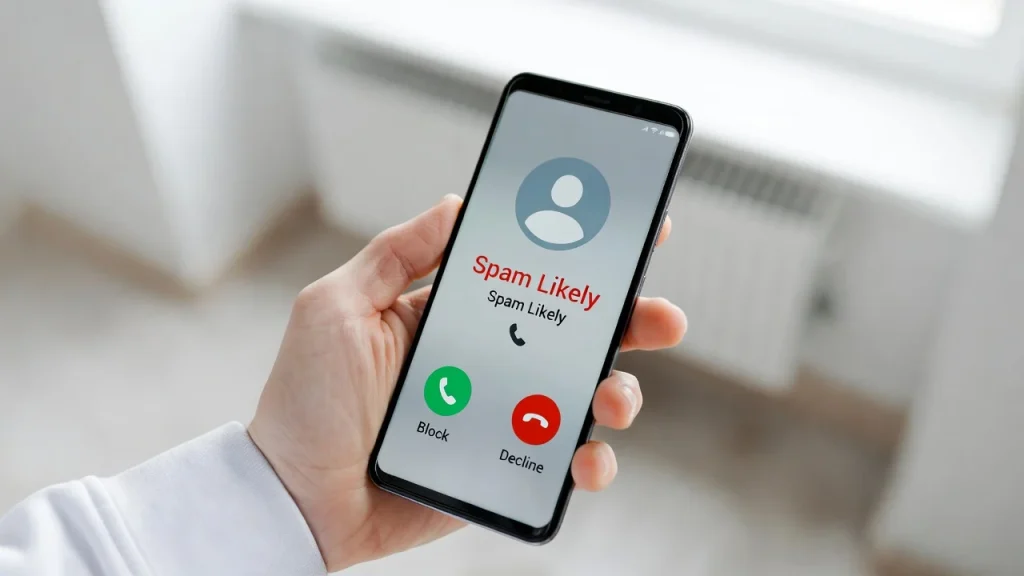
Step-by-Step Guide
- Open your phone’s Settings app.
- Navigate to Phone or Call Settings.
- Enable spam protection features.
- Turn on caller ID verification.
- Register your number with the Do Not Call Registry.
- Install a trusted spam-blocking app if needed.
- Block repeat offenders immediately.
- Review call logs regularly and report scam numbers.
For iPhone users:
- Settings → Phone → Silence Unknown Callers
For Android users:
You should also review app permissions periodically. Some call-blocking apps require access to contacts and call logs. Choose reputable providers with strong privacy policies.
If spam calls continue, contact your carrier and ask about advanced filtering services. Many carriers now offer free protections included with wireless plans.
Following these steps can dramatically reduce robocalls and help you regain control of your phone.
Expert Tips & Common Mistakes
Pro Tips
- Use carrier-level spam protection whenever available.
- Keep your operating system updated for improved security.
- Report scam calls to regulators and carriers.
- Use AI-powered call screening on newer smartphones.
- Check privacy settings regularly to limit data exposure.
Common Mistakes to Avoid
- Answering unknown numbers out of curiosity.
- Calling suspicious numbers back.
- Sharing personal information with unsolicited callers.
- Ignoring software updates that improve spam protection.
For example, many users believe answering and hanging up quickly is harmless. In reality, this can confirm your number is active and lead to even more spam calls.
Likewise, some people rely solely on blocking individual numbers. Since scammers frequently spoof new numbers, broader filtering methods are often more effective.
Prevention is always easier than dealing with the consequences of a successful scam.
Consumers often overspend on flagship phones when a mid-range device would serve their needs just as well — or better.
— Marques Brownlee (MKBHD), Tech Reviewer & YouTube Creator
FAQs on How to Stop Junk Calls on Cell Phone
How do I stop junk calls on my cell phone permanently?
No method eliminates every spam call permanently, but combining spam filters, call-blocking apps, carrier protections, and the Do Not Call Registry can significantly reduce unwanted calls.
Why am I suddenly getting so many spam calls?
Your number may have been exposed through data breaches, online forms, public listings, or automated dialing campaigns targeting random phone numbers.
Is it better to ignore or answer unknown calls?
Ignoring unknown calls is generally safer. Legitimate callers usually leave voicemail messages or contact you through another method.
Do spam-blocking apps really work?
Yes. Trusted apps use large databases and machine learning systems to identify and block many spam callers before your phone rings.
Can iPhones automatically block junk calls?
Yes. iPhones include the “Silence Unknown Callers” feature, which automatically sends calls from unknown numbers to voicemail.
Can Android phones detect spam calls?
Most Android devices include built-in spam detection and call-screening features that identify suspicious callers in real time.
Will changing my phone number stop junk calls?
It may help temporarily, but scammers often dial numbers randomly. Using filtering and blocking tools is usually a better long-term solution.
Conclusion
Learning how to stop junk calls on cell phone devices has become essential in today’s connected world. With scammers using AI-generated voices, caller ID spoofing, and automated dialing systems, smartphone users face more unwanted calls than ever before.
Fortunately, modern mobile technology provides powerful defenses. Built-in spam filters, carrier protections, call-blocking apps, and smart call-screening features can dramatically reduce interruptions and improve security. Whether you use an iPhone, Android device, budget phone, or flagship smartphone, taking a few minutes to configure these protections can make a significant difference.
As AI-powered smartphones, satellite connectivity, and next-generation communication technologies continue to evolve, anti-spam features will become even more sophisticated. Staying informed and proactive remains your best defense against unwanted callers.
Explore more cell phone reviews, security tips, phone camera comparison guides, battery life tips, and smartphone buying advice at TheBestPeek to get the most from your mobile technology.
Sources
- Federal Communications Commission (FCC) Robocall Resources
- Federal Trade Commission (FTC) National Do Not Call Registry
- Statista Telecommunications Reports
- GSMA Mobile Security Research
- Consumer Reports Mobile Security & Privacy Testing

Daniel Mitchell is a home appliances specialist with over a decade of hands-on experience testing, reviewing, and comparing everyday household products. He focuses on helping homeowners make smarter buying decisions through practical insights, real-world testing, and easy-to-understand advice. Daniel covers everything from kitchen appliances to smart home solutions, with a strong emphasis on performance, energy efficiency, and long-term reliability.


