
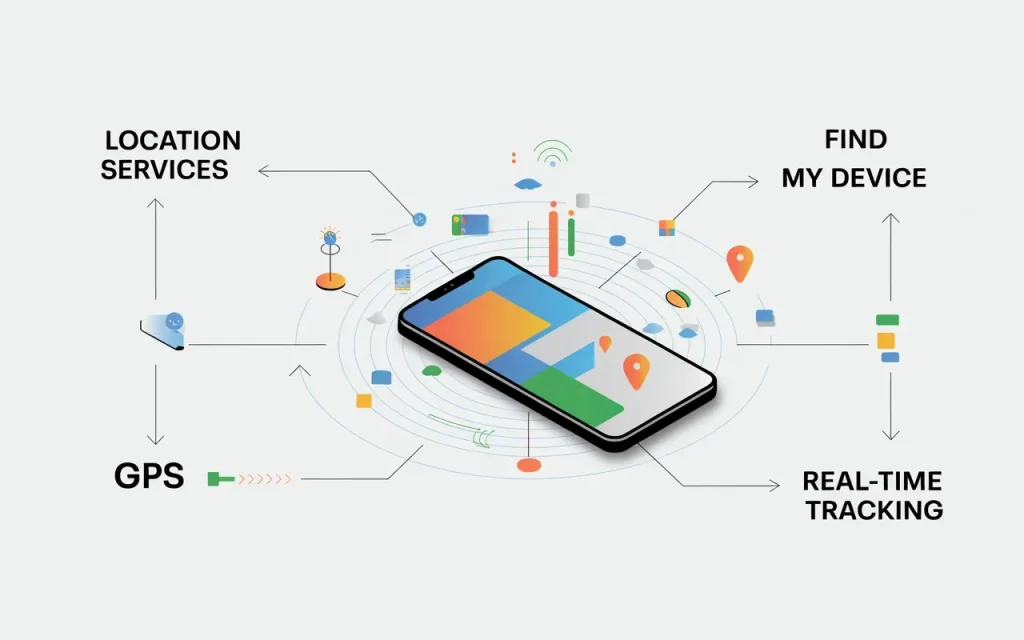
How to track a cell phone for free — You can track a cell phone for free using built-in tools such as Apple’s Find My, Google’s Find My Device, or family location-sharing features. These services help locate your own phone or a device you have permission to track, without paying for third-party software.
Losing a smartphone can be stressful. Our phones store photos, contacts, banking apps, work documents, and countless personal details. Whether your device slipped between couch cushions, was left at a coffee shop, or simply went missing during a busy day, finding it quickly becomes a top priority.
Fortunately, modern smartphones include powerful tracking tools that are completely free. Apple, Google, and many device manufacturers have invested heavily in location technology, making it easier than ever to locate a lost phone, secure personal information, and even recover stolen devices.
However, not all tracking methods are created equal. Some apps promise advanced tracking but charge hidden fees, while others raise privacy concerns. Understanding which tools are legitimate and how they work can save you time, money, and frustration.
In this guide, you’ll learn how to track a cell phone for free using trusted built-in services, the best solutions for Android and iPhone users, common mistakes to avoid, and the latest 2026 mobile technology features that improve device recovery and security.
“The best smartphone is not necessarily the most expensive one — it is the one that fits perfectly into your life.”
— David Pogue, Tech Journalist & Former NYT Columnist
Why Free Cell Phone Tracking Matters
Smartphones have become essential tools for communication, work, navigation, entertainment, and financial management. According to Statista mobile usage reports, billions of people worldwide rely on smartphones daily, making device loss more disruptive than ever.
A lost phone can create several problems:
- Loss of personal data
- Unauthorized access to accounts
- Missed calls and messages
- Financial risks from stored payment information
- Difficulty accessing work or school resources
Many people assume they need expensive tracking software to locate a missing device. In reality, both Android and iPhone manufacturers offer free tracking services that work remarkably well when configured properly.
Modern tracking systems have also improved thanks to advancements in:
- AI-powered smartphones
- Bluetooth device networks
- Satellite connectivity
- Enhanced location accuracy
- Cloud-based device management
These technologies allow users to locate devices even when they are offline in some situations. As smartphone ecosystems continue to evolve, free tracking features have become one of the most valuable security tools available.
The key is enabling these services before your phone goes missing. A few minutes of setup today can save hours of stress later.
“Mobile technology has fundamentally changed how we communicate, work, and live — choosing the right phone is one of the most important tech decisions you will make.
— Consumer Reports, Electronics & Technology Division
Best Free Ways to Track a Cell Phone
The following methods are safe, legal, and effective when used to locate your own phone or a device whose owner has given permission.
1. Use Apple’s Find My
For iPhone users, Find My is one of the best free tracking tools available.
Features include:
- Real-time location tracking
- Play a sound remotely
- Mark device as lost
- Remote erase capabilities
- Offline device finding
Most modern iPhones support this feature automatically when enabled.
2. Use Google’s Find My Device
Android users can access Google’s free tracking service.
Benefits include:
- GPS location tracking
- Device locking
- Ringing a lost phone
- Secure data protection
- Integration with Google accounts
Many best smartphones running Android support this feature.
3. Enable Family Location Sharing
Families can share locations through:
- Apple Family Sharing
- Google Family Link
- Trusted location-sharing services
This can help locate devices and family members who have agreed to share their location.
4. Check Smartwatch Connections
Many wearable devices can help locate nearby phones.
Examples include:
- Apple Watch
- Samsung Galaxy Watch
- Google Pixel Watch
These devices often include “find phone” functions.
5. Use Carrier Services
Some mobile providers offer basic location services for account holders.
These features may include:
- Lost device assistance
- Account recovery tools
- Family location services
6. Leverage Bluetooth Tracking Networks
Newer phones use crowdsourced device networks that can help locate phones even when they are offline.
This technology is becoming increasingly common on:
- Flagship smartphones
- Premium Android devices
- Recent iPhones
7. Keep Location Services Enabled
Many users disable location settings to save battery life.
However, tracking services require:
- GPS access
- Location permissions
- Internet connectivity
Following good battery life tips can help minimize the impact while maintaining tracking capabilities.
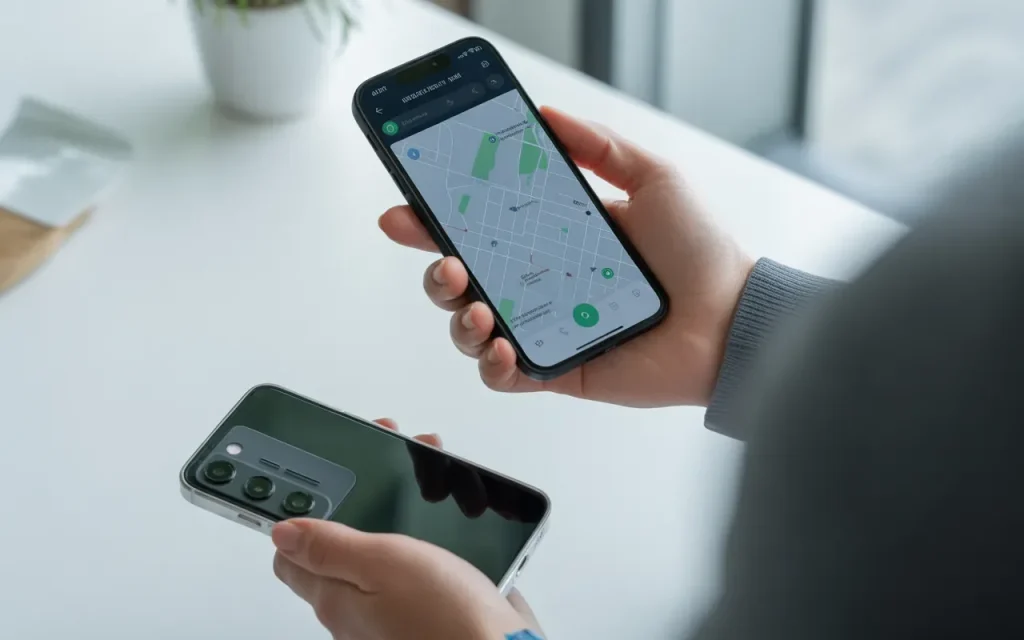
Step-by-Step Guide
- Open your phone settings.
- Enable location services.
- Turn on Find My (iPhone) or Find My Device (Android).
- Verify your account login credentials.
- Enable remote location tracking.
- Activate lost-device notifications.
- Test the tracking feature once.
- Save your account recovery information securely.
If your phone goes missing:
- Log into your Apple or Google account.
- Access the tracking service.
- View the device location.
- Play a sound if the phone is nearby.
- Mark the device as lost if necessary.
- Lock the phone remotely.
- Contact your carrier if theft is suspected.
- Erase sensitive information if recovery seems unlikely.
These steps significantly improve your chances of recovering a lost device.
Expert Tips & Common Mistakes
Pro Tips
- Enable tracking before you need it.
- Use two-factor authentication for added security.
- Keep location services active for tracking tools.
- Regularly test recovery features on your phone.
- Store backup recovery information in a secure location.
Common Mistakes to Avoid
- Disabling location services permanently.
- Forgetting account passwords.
- Ignoring software updates.
- Installing unknown tracking apps from untrusted sources.
Many third-party apps advertise “free phone tracking” but may include intrusive permissions, subscriptions, or privacy risks.
Likewise, some users only activate tracking features after losing their phones. Unfortunately, most services must be configured beforehand to work properly.
The best tracking solution is the one that’s already enabled when you need it.
Consumers often overspend on flagship phones when a mid-range device would serve their needs just as well — or better.
— Marques Brownlee (MKBHD), Tech Reviewer & YouTube Creator
FAQs
Can I track a cell phone for free?
Yes. Apple’s Find My and Google’s Find My Device are free services that allow users to locate their own devices or devices linked to their accounts.
Can I track someone else’s phone without permission?
No. Tracking another person’s phone without their knowledge or consent may violate privacy laws and ethical guidelines. Only track devices you own or have permission to monitor.
Does phone tracking work if the device is turned off?
Some newer devices can provide a last known location or leverage offline device networks, but real-time tracking generally requires the phone to be powered on.
Do I need to install a tracking app?
In most cases, no. Android and iPhone devices already include built-in tracking tools that work effectively for most users.
Can I track a stolen phone?
Yes, if tracking was enabled before the theft. You can view its location, lock it remotely, and contact law enforcement if necessary.
Does tracking drain battery life?
Modern smartphones are optimized to minimize battery impact. Following good battery life tips helps maintain performance while keeping tracking enabled.
What is the best free phone tracking method in 2026?
Apple’s Find My and Google’s Find My Device remain the most reliable, secure, and widely used free tracking solutions available today.
Conclusion
Learning how to track a cell phone for free can help you recover a lost device, protect sensitive information, and gain peace of mind. Thanks to built-in tools like Apple’s Find My and Google’s Find My Device, most smartphone users already have access to powerful tracking technology at no additional cost.
The most important step is preparation. Enable location services, activate tracking features, secure your accounts, and familiarize yourself with recovery tools before an emergency occurs. Whether you use an iPhone, Android device, budget phone, or one of the latest 5G phones, these simple precautions can dramatically improve your chances of recovering a lost smartphone.
As mobile technology advances with AI-powered smartphones, satellite connectivity, and enhanced security features, free tracking capabilities will continue to improve. Staying informed about these tools is an essential part of modern smartphone ownership.
Explore more cell phone reviews, phone camera comparison guides, smartphone security tips, and mobile technology resources at TheBestPeek to stay ahead of the latest trends in 2026.
Sources
- Statista Mobile Technology Reports
- Apple Find My Documentation
- Google Find My Device Support Resources
- Federal Communications Commission (FCC) Consumer Resources
- GSMA Mobile Security and Device Protection Reports

Daniel Mitchell is a home appliances specialist with over a decade of hands-on experience testing, reviewing, and comparing everyday household products. He focuses on helping homeowners make smarter buying decisions through practical insights, real-world testing, and easy-to-understand advice. Daniel covers everything from kitchen appliances to smart home solutions, with a strong emphasis on performance, energy efficiency, and long-term reliability.


